Tuesday, April 19, 2011
Five hidden tools and tricks for Google Calendar
Came across some really great tips for using Google Calendar. From keyboard shortcuts to some great add ons available in Labs. Several of which I've just enabled on my account.

Monday, February 21, 2011
Google Docs secrets: 20 power tips
I came across a great list of power tips for Google Docs that I wanted to share:
Fix pictures in position is a new one to me and one that'll I'm sure I'll use now that I know about it.
Wednesday, February 2, 2011
Upgraded Google Documents List
If you are a user of Google Docs then, there's a pretty good chance you've just noticed the most recent upgrades. The most notable is the improvements to the document list.
Google provides a great interactive help page explaining the new Documents List.
The navigation panel has been cleaned up a lot, and seems much easier to navigate to me. I also found the details pane to be very helpful as well. Seeing a preview and all the shared details at a glance is a big upgrade. It reminds me a lot of OSX Finder's columns view.
Friday, October 8, 2010
Google Chat with Video
If you have a webcam, Google Chat does support video. So from Gmail you can video conference a co-worker in addition to Instant Messaging with them. You just need to install a plugin for video chats to work with Google Chat.
If you have the plugin and a webcam give this a shot. A little camera appears next to a users name if they can video chat back.
Thursday, October 7, 2010
Opportunity Starts Here
Materials relating to our recent "Opportunity Starts Here" rebrand are available online.
- news release
- statement
- key marketing messages
- tagline
- logos
- ads
- print ads
- tv ads
- more
Friday, September 3, 2010
Rebrand
You've probably noticed the new logo colors on www.atlantic.edu. As part of a rebranding we've been switching all of our online services over to the new standards.
For more info, read the style guide. There's some useful guidelines and logos/templates to use there too.
Tuesday, June 22, 2010
Google Docs OCR
Google Docs recently added the feature to perform OCR (optical character recognition) on uploaded pdf and image files. So now, you can have it convert a pdf into text!
When you upload a file into Google Docs you should see the new option. If you need to convert a pdf that someone sends to you into text (why isn't everything already text will always boggle me) then this might be a nice option to check out.
Wednesday, June 16, 2010
flickr tagging

Atlantic Cape shares thousands of photo on our flickr account, with many new photos added daily. This is a great resource for not only sharing photos with the community, but also if a photo is needed for internal use too. I really recommend that you check it out if you haven't already.
Also, please feel free to add any additional tags to photos as well. You just need to be logged into flickr (using a flickr or Yahoo! account) to do so. Tagging of photos makes them much easier to find and sort, so please tag away. A location, individual(s), event, etc. The more descriptive our photos are tagged the better.
Thursday, April 29, 2010
Like Button
Just incorporated the new Facebook Like Button Social plugin into our news releases. It can conveniently be found at the bottom or all news releases now. If you want to share the particular news release with your Facebook account, just click the Like button. It's that simple.
You can also easily see which of your friends like the news release as well.
This is the first of the new Facebook social plugins that we've incorporated with www.atlantic.edu. We'll keep you posted as we integrate more of the social plugins!
Thursday, February 4, 2010
Strudels Gadget
We've made a nifty little Google Gadget to display Strudels daily offerings. You can add it to your Google Start Page.
From your Start Page just click Add Stuff and you'll find it under the ACCC Content section.
It can also be found online for the general public on Careme's page. Feel free to add the gadget to your own personal webpage or blog.
Friday, January 29, 2010
Upgraded Campus Maps
Just rolled out a beta release of updated campus directions/maps.
Now all 3 major campuses are conveniently located on one Google Map. Clicking on each respective campus will reveal information regarding the specific campus as well as a link to custom driving directions.
Users can also select which campus from the tabs beneath the map and the map will then jump to that specific campus.
If a user zooms in closely to a campus (12x zoom or greater) they will notice that the buildings now appear on the actual Google Map with detailed information for most of the campus buildings. Parking lots as well as handicap parking are prominently featured as well.
This gives users a much more detailed and rich experience should they choose it.
I'm hoping to add tighter custom driving direction information, more detailed public transportation information, as well as offering our campus maps as a KML download and Google Mapplet for users to install.
Please share if you have any further suggestions.
Friday, January 8, 2010
Interlibrary Loan Request Form
Trying to find books or articles not owned by the Atlantic Cape library or the county library? We now offer a simple form to fill out to make an interlibrary loan request.
Simply fill out your contact info, the book or article to loan, and whichever of our 3 campuses are most convenient for you to pick it up at.
Tuesday, November 24, 2009
Safety Information
The Safety Information on atlantic.edu has been undergoing a redesign. The information found there has now been broken up into individual pages for more efficient reading and consumption. All pages are now linked via the sidebar on the Safety Information pages too, making it easy to navigate. A refreshed look also helps for a more inviting experience.
Users are now allowed to fill out a simple web form to report a crime in addition to contacting security through the phone, via a guard, or at the security desk.
There's also now a listing of various ways to follow safety alerts. Check them out and see which one's you might want to follow.
Many other improvements are also still being worked on, so check back often to see what additional features are added.
Wednesday, October 21, 2009
Google Web Elements
Google Web Elements makes it really easy to share Google products on the web.
For instance if you've created a Presentation or Spreadsheet in Google Docs, just paste the URL of the file and it gives you the code snippet to paste onto the web. The little display widget is pretty slick and easy for users to interact with.
It seems like a really cool way to share info, so if you have something created with your Google Apps account check it out.
Friday, September 25, 2009
ARIA Landmark Roles
atlantic.edu now include ARIA Landmark Roles to help improve the accessibility of the site. ARIA roles help to improve the the semantics of the sites layout.
For instance, if a user is depending on a screen reader to have our site read to him, they can much more easily navigate directly to the main content or the search box with the use of ARIA.
This is another way we are making our website more accessible as well as more semantically sound for our users.
Thursday, September 10, 2009
Library
The library information commons has just been redesigned. The goal with the redesign was to make is easier to gain access to the great online services that our library offers.
The lengthy text has been replaced with easy to scan links to the most commonly used services. Each library location also has a page now detailing what specific offerings they have as well.
Be sure to visit and check out all the great services our library offers.
Tuesday, July 21, 2009
atlantic.edu footer upgrades
The footer on atlantic.edu got received some upgrades today. Cosmetically it should be easier for users to read and we've also made the following additions as well:
- All locations and very basic contact information can now be found in the footer for our 3 main locations.
- Additional Information links such as contact us, feedback, etc. are now grouped under 1 column in the footer and made a little easier to get to.
- We've also added links to our numerous social networking properties that the school maintains. So now it's even easier for our fans, followers, or whatever they might be for that service to keep track of what we're up to.
Hope you enjoy, and please let me know if you have any further suggestions. Also check out the various social networking sites that we belong to, we're constantly added new content.
Wednesday, May 20, 2009
Tasks added to Google Calendar
Google Calendar finally added an integrated task list. It's incredibly easy to use, and works well with the already impressive Calendar app. I highly recommend you check it out.
Learn more about Tasks.
Learn more about Tasks.
Wednesday, April 15, 2009
ACCC is on Facebook

Atlantic Cape Community College just launched their official Facebook Page just a few days ago.
Some of it's current features are:
- Keep informed of current ACCC news
- Find out about latest events and activities
- View photos (including Professor Tom C. with pink hair)
- Watch videos
- Find other related Facebook Groups and Pages
- Find out who else is a Fan of ACCC
Check it out and become a Fan!
Friday, March 20, 2009
Google Labs
Google Apps does a great job of rolling out new features. However, they also often make some pretty cool features available through their Labs area. The Labs area is easy to get to if you're logged into your Gmail. Just click on the erlenmeyer flask found at the top right of the window.
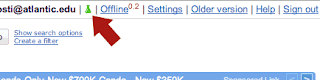
Then you'll see a listing of all the currently available features available in the Lab. If there's one you are interested in, just click on the Enable radio. It's that simple.
My current favorites are:
- Offline - it allows you to use Gmail without online access. Very useful.
- Canned Responses - automatically have a reply go out if it meets a certain criteria. Great for dealing with forms.
- Google Calendar Gadget - incorporates your Google Calendar in Gmail, very cool.
- and there's many more.
Subscribe to:
Posts (Atom)